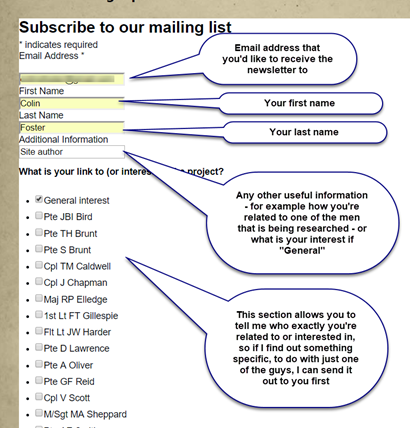
These are the steps that you need to follow in order to sign up to the newsletter
Step 1 – fill in your details
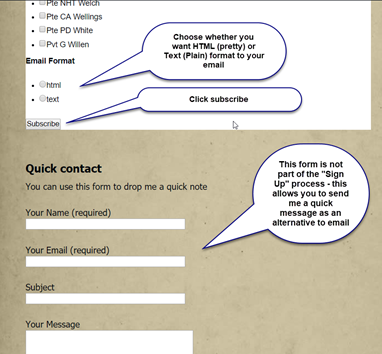
Step 2 – Choose HTML or Text format & click subscribe
When you click subscribe, you’ll see this message appear and an email should land in your inbox – please check that it’s not been categorised as Junk or Spam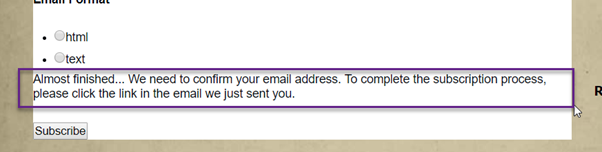
Step 3 – The email
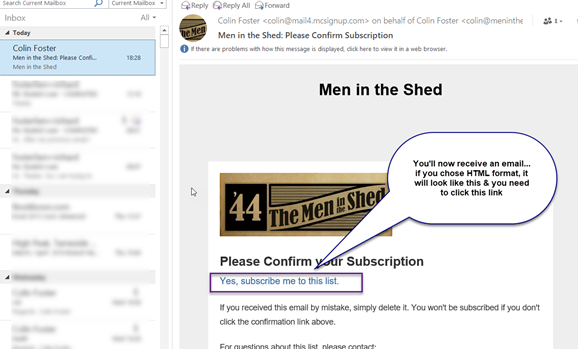
Step 4 – The confirmation
Clicking the link will take you back to the internet where you’ll see the following message confirming your subscription…
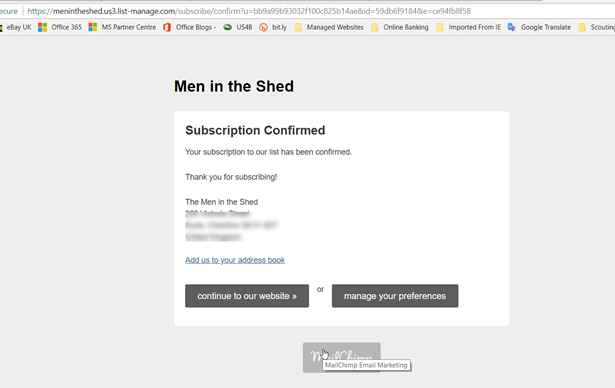
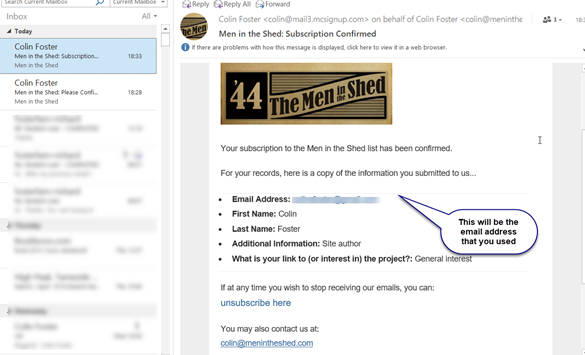
Step 5 – A final email
You’ll then receive the following email confirming your details…